
Quick answer
- Placeit price: $7.47/month billed yearly ($89.69 a year), or $14.95 billed monthly, per the pricing page, for unlimited downloads with a commercial license. The pricing page does not mention a free trial.
- Placeit free: a free account and a selection of free templates. Everything else needs the subscription or a single-template purchase.
- Print-on-demand with no stock: Placeit is a strong fit. Free alternatives are Printify's and Printful's built-in mockup generators and Canva Mockups.
- Handmade, vintage, or your own stock: Etsy asks for real photos of the actual product, so a photo-based tool fits better: GreenOnion's Etsy workflow for a planned listing set, or Photoroom and Pixelcut for single-image backgrounds and edits.
Placeit pricing, checked October 11, 2026
Swipe the table sideways to see all columns.
| What Placeit's pages show | Detail |
|---|---|
| Unlimited Subscription | "From: $7.47 /mo", with the note "Unlimited subscription billed yearly in USD." |
| Price | $14.95 a month billed monthly, or $89.69 a year. The pricing page FAQ says: "For $14.95 USD per month* or $89.69 USD per year*" |
| What's included | Unlimited downloads, commercial usage, high resolution, plus logos, video templates, and 100,000+ design, music and photo assets |
| Commitment | Auto-renews. One-month minimum commitment if you have downloaded any template; cancel any time if you have not |
| Free | Free account and a selection of free templates (the free templates page says this is "for a limited time"); free image cropper and background remover |
| Single template | A "Single Purchase" option at download. The help center does not list the price |
| License | The FAQ says a commercial license is included in all downloads |
| API | "At the moment, we don't have a Placeit API available." |
Monthly or yearly? Placeit's FAQ calls the annual plan “33% off” the monthly plan, but $89.69 a year against $14.95 a month ($179.40 over 12 months) works out to about 50% off. Billed yearly means you pay $89.69 up front. Check the total at checkout, because prices can change.
Is the subscription worth it? It depends on volume. If you list a handful of designs a year, the free templates or your POD supplier's free generator may be enough. If you add new designs every week and want several lifestyle scenes per product, unlimited downloads at a fixed yearly price is easy to justify. See Placeit's current pricing.
What Placeit actually does
Placeit, owned by Envato, is a mockup and design template library. Its homepage pitches “160k+ mockups tailored for POD sellers” and “Unlimited mockups for; Etsy, Amazon, Printify etc. No limits. No credits.” Categories include t-shirts, hoodies, sweatshirts, mugs, bags, pillows, wall art and home decor, plus design templates for Etsy listings and Etsy banners.
The workflow is: choose a template, then “drag and drop your designs to our mockups.” Each mockup is a pre-shot or pre-rendered scene with a blank product, such as a model wearing a hoodie. Your design file is placed onto it. Uploads must be PNG or JPG, up to 7,500 × 7,500 px and under 12 MB. There is also an “Ai-Made Mockups” category of templates.
The important consequence: Placeit never sees your physical product. That is exactly what a print-on-demand seller wants, because there is no product to photograph yet. It is the wrong tool if you sell a handmade mug, a vintage jacket or a tote you sewed yourself, because the mockup shows Placeit's blank product, not yours.
The Etsy photo rule that decides which tool you need
Etsy's listing image requirements, updated October 22, 2026, say all images must accurately reflect the item's color, condition, scale, and materials, and that for most products you must include at least one unedited photo of the actual item against a real background. The rules by product type decide which tool fits:
- Your design printed on a base product (POD t-shirt, mug, tote): you may use a stock photo mockup if the stock photo's owner has authorized its use, such as a licensed template from Placeit, Printify, Printful, or Canva.
- Customized items you make yourself: use photos of real, finished items you have made in the past.
- Handmade, vintage, and most other items: include at least one unedited photo of the actual item, and don't run that photo through AI or editing tools.
- Patterns, recipes, and seeds: include at least one real, unedited photo of something made with your product; AI images can't be the only images of the finished result.
On your other images, Etsy allows photo editing and AI tools as long as the result stays accurate: adjusting light and color, cropping, and cleaning up or replacing the background are allowed; changing the product's color, texture, or condition, hiding defects, or using AI to change its design are not. See our guide to Etsy AI image rules for disclosure and mockups.
Pick a Placeit alternative by situation
Print-on-demand designs, no physical stock, lots of products
Start with: Placeit
Also consider: Canva Mockups
A large template library of pre-shot scenes for t-shirts, hoodies, mugs, bags and wall art. Drop in your design file and download.
Handmade, vintage, or your own stock: lifestyle, on-model, and detail photos of the real item
Start with: GreenOnion Etsy workflow
Also consider: Photoroom, Pixelcut
Starts from photos of the real item and plans a full set of listing images without a prompt; edit each image's role and scene, or accept the plan as-is. It won the lifestyle and on-a-person rounds of our October 2026 Etsy test.
You already fulfil through Printify
Start with: Printify mockup generator
Also consider: Placeit for extra scenes
Free, unlimited, watermark-free mockups of the exact base product you sell. AI Mockups (describe a scene) need Premium.
You already fulfil through Printful
Start with: Printful mockup generator
Also consider: Placeit for extra scenes
Free mockups for every product in Printful's catalog, from studio shots to lifestyle scenes.
Just a better background for one product photo
Start with: Photoroom
Also consider: Pixelcut
Low-cost single-image editors: background removal, AI backgrounds, and scenes from a prompt.
| If you need… | Start with | Also consider | Why |
|---|---|---|---|
| Print-on-demand designs, no physical stock, lots of products | Placeit | Canva Mockups | A large template library of pre-shot scenes for t-shirts, hoodies, mugs, bags and wall art. Drop in your design file and download. |
| Handmade, vintage, or your own stock: lifestyle, on-model, and detail photos of the real item | GreenOnion Etsy workflow | Photoroom, Pixelcut | Starts from photos of the real item and plans a full set of listing images without a prompt; edit each image's role and scene, or accept the plan as-is. It won the lifestyle and on-a-person rounds of our October 2026 Etsy test. |
| You already fulfil through Printify | Printify mockup generator | Placeit for extra scenes | Free, unlimited, watermark-free mockups of the exact base product you sell. AI Mockups (describe a scene) need Premium. |
| You already fulfil through Printful | Printful mockup generator | Placeit for extra scenes | Free mockups for every product in Printful's catalog, from studio shots to lifestyle scenes. |
| Just a better background for one product photo | Photoroom | Pixelcut | Low-cost single-image editors: background removal, AI backgrounds, and scenes from a prompt. |
Comparison table (prices checked October 11, 2026)
Swipe the table sideways to see all columns.
| Tool | What you upload | How the scene is chosen | Price (checked Oct 11, 2026) | Best for |
|---|---|---|---|---|
| Placeit | Your design file (PNG/JPG) | Pick a pre-shot template | $7.47/mo billed yearly ($89.69/yr) or $14.95 monthly; free templates; single purchase option | POD sellers who want many lifestyle mockups |
| Printify mockup generator | Your design, or its text and graphics tools | Pick a template; describe a scene with AI Mockups on Premium | Free; Premium from $24.99/mo billed yearly (from $39 monthly) | Printify sellers |
| Printful mockup generator | Your design on a Printful product template | Pick from Printful's mockup templates | Free with a Printful account | Printful sellers |
| Canva Mockups | A photo or design | Pick a template; AI helps place the image | Free tier; Pro US$144/yr | Sellers who also make social posts and banners |
| GreenOnion (Etsy workflow) | Photos of your real product | AI proposes a set of image roles and scenes; edit, skip or accept each | $19/mo for 60 credits ($15.20/mo billed yearly); 9 Etsy images use 10 credits; free results are watermarked previews | Handmade, vintage and own-stock sellers who need a full listing set |
| Photoroom | A product photo | Text prompt (AI Scenes, AI Backgrounds) or templates | Pro $7.50/mo billed yearly; free plan is personal use only | Quick backgrounds and edits |
| Pixelcut | A product photo | Ready-made scene or your own description | Pro $8/mo billed yearly ($10 also shown); free plan exports without watermark | Low-cost scenes, edits and batch work |
Prices are in US dollars as shown on each vendor's page. “Billed yearly” prices are the monthly equivalent of an annual payment. Kittl also lists mockups, but its mockups page did not describe products, workflow or pricing when we checked, so it is not compared here.
Placeit alternatives for print-on-demand sellers
If you have no physical stock, you need a mockup tool, not a photo tool. These are the realistic options, and for pure POD design mockups they are usually a better fit than a photo-based AI tool such as GreenOnion.
Printify mockup generator
Best free option for Printify sellersPrice: Free. Premium (which adds AI Mockups) is from $24.99/mo billed yearly or from $39 billed monthly. Check current pricing →
Printify says its generator is “100% free” and lets you “create unlimited, watermark-free product mockups.” You choose a product, upload your design or use the built-in text and graphics, preview flat lays, lifestyle scenes and multiple angles, and download PNGs. Etsy is one of its store integrations. On Premium, AI Mockups let you describe a custom scene in words.
Tradeoff: the mockups show Printify's base products, so they are useful only for products Printify fulfils. The page does not say how many templates each product has, so compare the scenes with Placeit's before deciding you need both.
Printful mockup generator
Best free option for Printful sellersPrice: Free with a Printful account. Check current pricing →
Printful says “all mockups for Printful products are totally free.” You open Product templates in your dashboard, add your design, save, and download mockups ranging from “lifestyle shots to clean studio backgrounds.” Coverage spans apparel, bags, phone cases, hats, mugs, pillows, wall art, blankets and embroidery previews.
Tradeoff: it covers products in Printful's catalog only. Its mockup page does not state license terms, so check Printful's terms if you reuse mockups outside your listings.
Canva Mockups (formerly Smartmockups)
Best for sellers already designing in CanvaPrice: Free tier; Canva Pro US$144/yr for one person. Check current pricing →
smartmockups.com now redirects to Canva Mockups. You open a design, go to Elements > Mockups, pick a template, and drag your photo or design onto it; Canva says its AI can “identify ideal surfaces for product placement.” Templates cover apparel, print, mugs, bottles, books, phones, packaging and home decor. Canva says exported mockups are royalty-free for commercial projects. On free access the two Canva pages differ: the Mockups page says free users can create and use up to 2,500 mockups, with Pro needed for more, while the pricing table says Free “excludes mock up templates.” Check inside your account.
Tradeoff: Canva is a general design tool, not a library built around POD products the way Placeit is. It is useful when the same person also makes Etsy banners and social posts.
Placeit alternatives when you have a real product
If you make, source or stock the item yourself, start from a photo of it. These tools keep your actual product in the frame and change the setting around it.
GreenOnion (Etsy workflow)
Our pick for real items: lifestyle, model, and detail photosPrice: $19/month for 60 credits ($15.20/month billed yearly), $49 for 180, $149 for 600; 20% off yearly. One credit makes one 2K image, plus one credit to plan the set, so nine Etsy images use 10 credits. New accounts get 20 free credits; free results are watermarked previews, and downloading needs a paid plan.
How it works: you upload photos of your product and its details, with optional text and style settings. GreenOnion then proposes a plan for the listing: how many images, what each one is for, optional on-image copy, and a design description for each scene. In one walkthrough of the Etsy workflow, it expanded the request into nine image plans. You can edit or skip any plan or accept the plan as proposed, then choose the aspect ratio and which images to generate; the generate button shows the image count and credit cost first.
Writing is optional: you can click through with the AI's proposed plan, or add a word, a sentence or more as a direction and let the AI expand it, and you can edit the design description of any plan in your own words before generating. That means you are not limited to a fixed template, but you should read every plan: AI can add details you did not give it, such as a size or material claim.
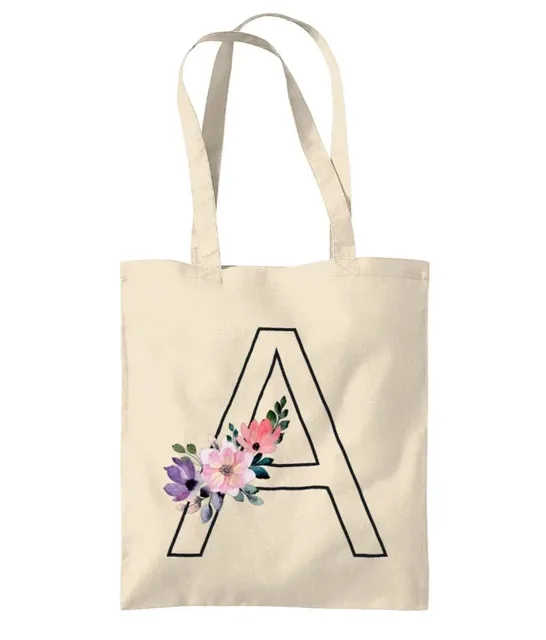
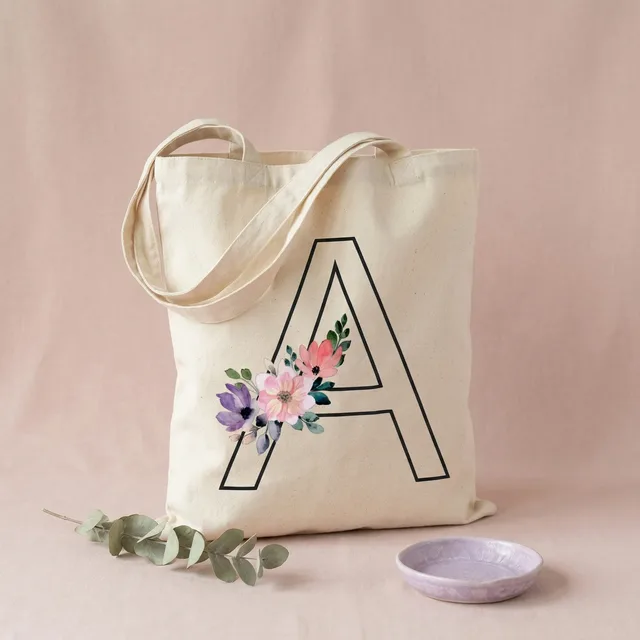
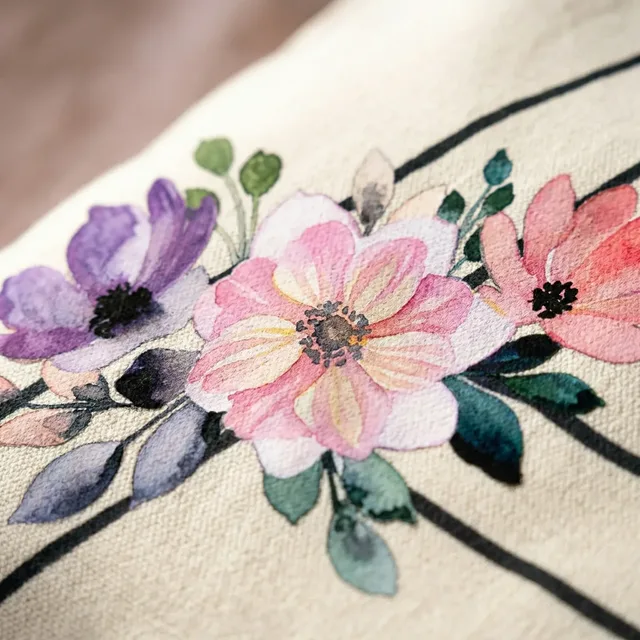
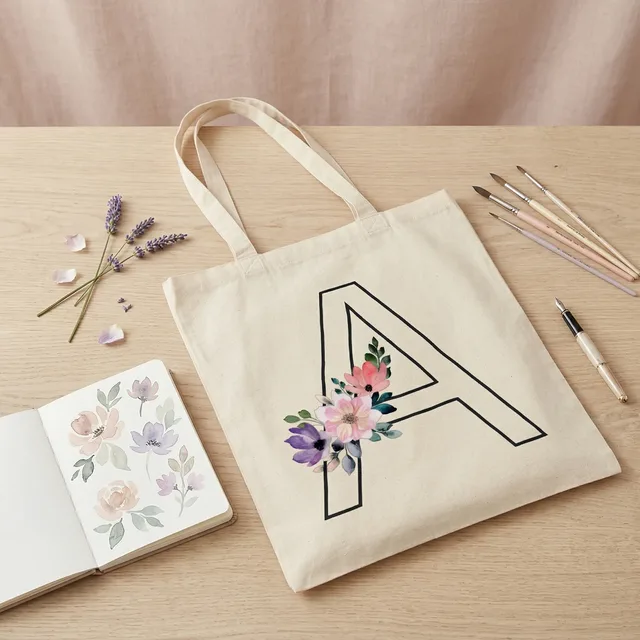
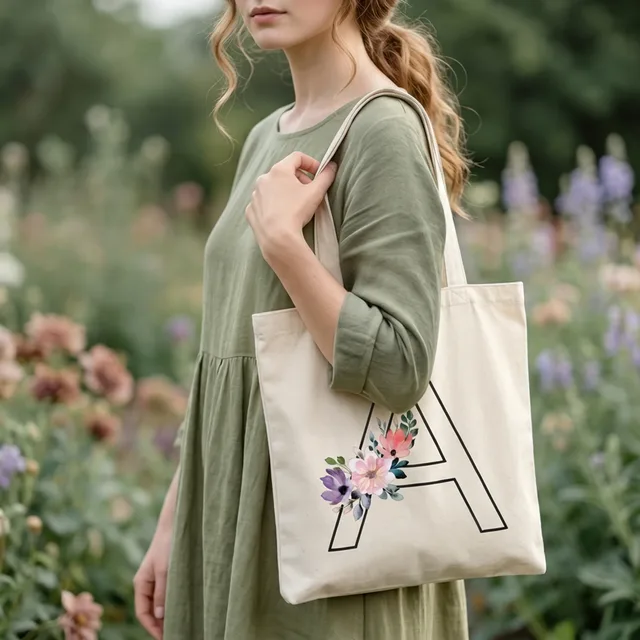
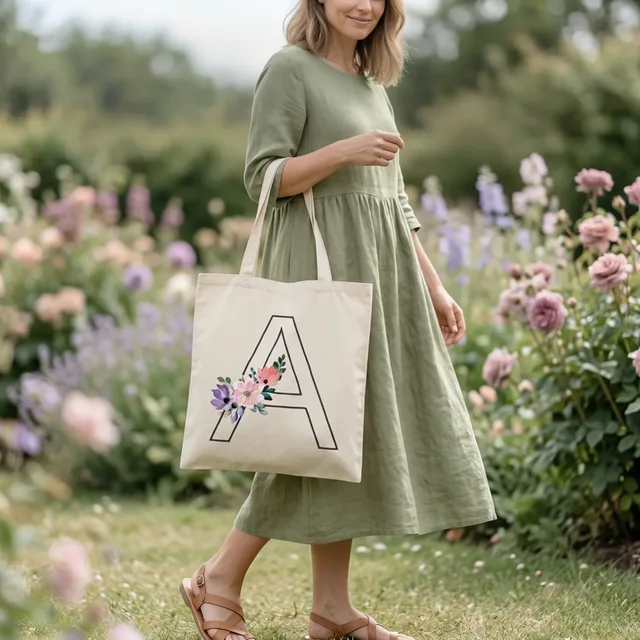

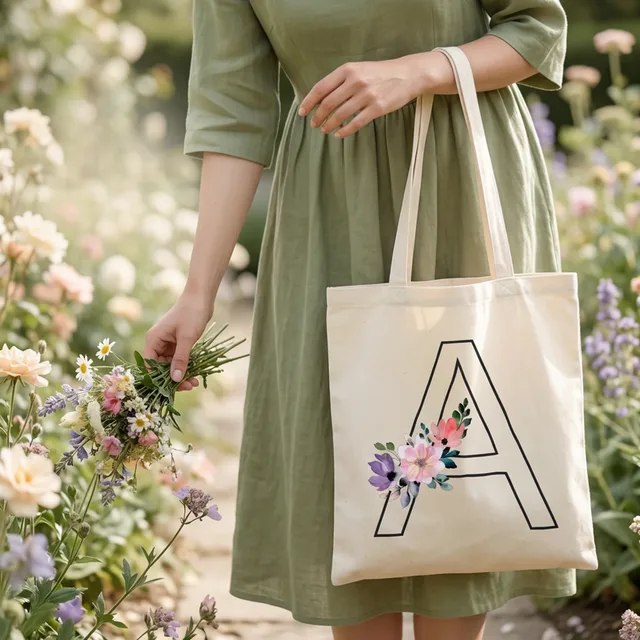
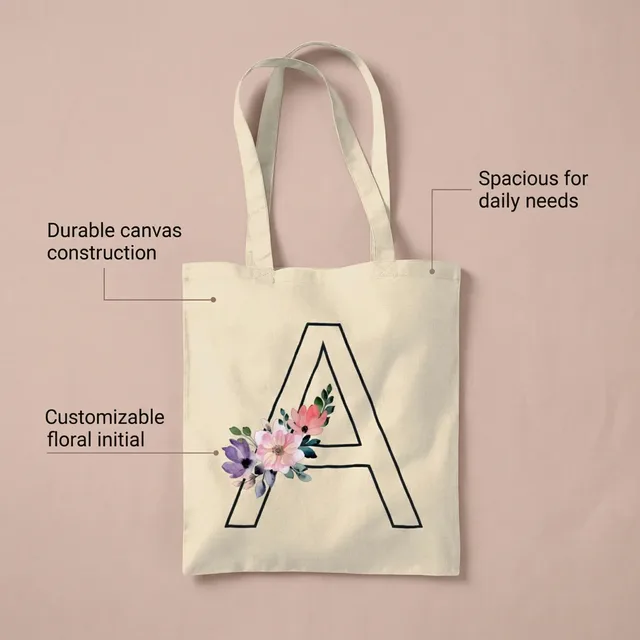
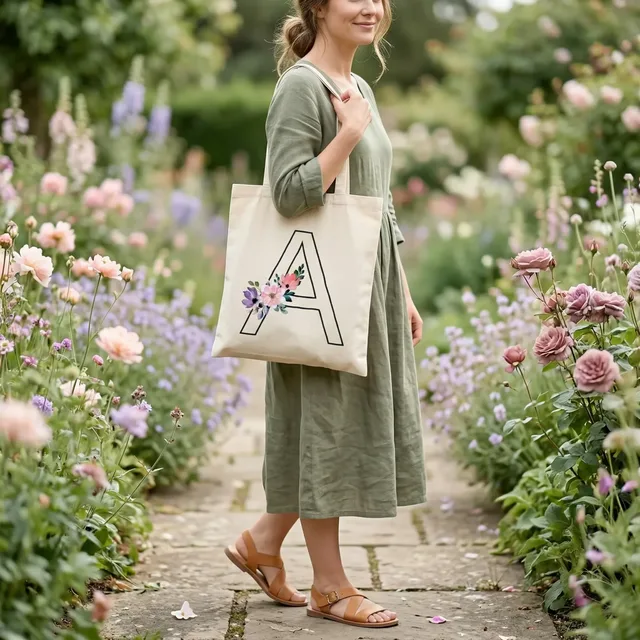
An existing GreenOnion Etsy gallery example: one product image of a canvas tote in, nine images out. It shows the kind of set the workflow produces; it is not a side-by-side test against Placeit or the other tools, and the images were not made from any prompt quoted on this page.
What to check before you list images like these. The close-up re-renders the watercolor flowers in more detail than the input shows, so compare it with your real print. The flat lay redraws the letter A with a lopsided shape, and in the shoulder shot the sleeve hides part of the letter. The props (eucalyptus, dish, brushes, sketchbook) are not part of the order; say so or remove them. The callout image says “Durable canvas construction”, “Spacious for daily needs” and “Customizable floral initial”: publish those only if they are true of your tote. For a print-on-demand tote with no physical sample, a mockup generator is the simpler and more policy-aligned choice.
Strengths
- Uses photos of your actual product, which suits handmade, vintage and own-stock items
- Plans the whole Etsy image set (roles, scenes, optional copy) before generating
- Each image's scene is a written description you can edit or accept as-is; no fixed template
- Separate workflows for Etsy, Amazon, Shopify, product photography and fashion
Limitations
- Needs a photo of the product; not built for placing a design file on a blank POD item
- Credit-based, not unlimited; costs more than Placeit at high volume
- Generated details, props and on-image text must be checked against the real item
- Free results are watermarked previews (downloading needs a paid plan), and no self-serve API
Best for: Etsy sellers with a real product who want a full listing set without a photo shoot. See more Etsy product image examples or try the Etsy product image generator.
Photoroom
Best for quick backgrounds and editsPrice: Pro $7.50/mo, Max $20.99/mo, Ultra $82.50/mo, all billed yearly. Free plan is for personal, non-commercial use. Check current pricing →
Photoroom works on one product photo at a time. AI Scenes takes your photo and a text prompt, generates the background and relights the product without changing its position, angle or zoom, and avoids adding people or hands. AI Backgrounds is included from Pro, alongside background removal and editing tools.
Tradeoff: it does not plan a listing set; you decide each image. Photoroom's help center says you cannot use a free account for commercial purposes, so an Etsy shop needs a paid plan.
Pixelcut
Best low-cost all-rounderPrice: Pro $8/mo billed yearly ($10 also shown, consistent with monthly billing), with 600 AI credits; Business $24/mo billed yearly. Free plan exports without a watermark. Check current pricing →
Pixelcut's Product Studio takes one product photo (JPG, PNG or HEIC) and generates Studio, Lifestyle and On Model variations at up to 4K. You can pick a ready-made scene or describe your own, and set angle and background.
Tradeoff: it generates variations rather than a planned set, so you choose which image fills each listing slot. Pro and Business include a commercial license; the free plan's page does not mention one.
Template vs. described scene: what you actually do in each tool
Swipe the table sideways to see all columns.
| Step | Placeit | Printify (Premium AI Mockups) | GreenOnion Etsy workflow |
|---|---|---|---|
| You start with | A design file | A design file on a Printify product | Photos of your real product |
| Choosing the scene | Browse and pick a pre-made template | Pick a template, or describe a scene in words | AI proposes roles and scenes for the set; edit any description or accept it |
| Planning several images | You pick each template yourself | You pick or describe each mockup | Proposed together as one listing plan; edit, skip or accept each image |
| Before you download | Adjust the design placement | Preview, then download PNGs | Choose aspect ratio and which plans to generate; cost shown first |
| What to check | Design placement and colors on the blank | Placement; any AI-generated scene details | Product accuracy, props, and any generated text |
A template is not a weakness. Placeit's pre-shot scenes are predictable, which is valuable when you need the same look across 200 designs. A described scene is more flexible but needs more review. Choose by what you sell, not by which approach sounds more advanced.
How to choose in five minutes
- Ask what the buyer receives. A design printed on a base item can be shown with a mockup. A unique, handmade or vintage item needs real photos.
- Start with what is free. If you use Printify or Printful, try their generators before paying for Placeit. Download a few Placeit free templates to see if its style suits your shop. For real-product photos, GreenOnion's 20 sign-up credits are enough for two nine-image Etsy sets at 2K, as watermarked previews; downloading needs a paid plan.
- Count your volume. Many new designs every month favors Placeit's unlimited plan. A few products with full listing sets favors a credit-based photo tool.
- Test your hardest product. Fine print, a light-colored design on a light blank, or a textured handmade surface shows each tool's limits fastest.
- Check every image against the real item before you upload: colors, print placement, props, and any text on the image.
Have photos of a real product? Plan your Etsy listing set
Upload your product photos and review the proposed image plan: edit or skip any image, or accept it and generate. New accounts start with 20 free credits.
Try the Etsy product image generatorFrequently asked questions
Is Placeit free?
Partly. Placeit offers a free account and a selection of free templates you can download at no cost. Most of the library needs the Unlimited Subscription. On October 11, 2026 the pricing page listed it at $7.47 a month billed yearly ($89.69 a year, USD) or $14.95 billed monthly. Placeit also offers a single-purchase option for one template; the help center does not list its price.
Does Placeit have a free trial?
Placeit's pricing page does not mention a free trial. It offers free templates and a free account instead. Paid subscriptions renew automatically and carry a one-month minimum commitment once you have downloaded any template; if you have downloaded nothing, Placeit says you can cancel at any time.
What is the best free alternative to Placeit for Etsy print-on-demand?
If you already sell through Printify or Printful, use their built-in mockup generators first. Printify says its generator is 100% free, with unlimited, watermark-free mockups; Printful says all mockups for Printful products are free. If you are not tied to one supplier, Canva Mockups has a free tier, though Canva's pages differ on how many mockup templates it includes.
Can I use Placeit mockups on Etsy?
Often yes for print-on-demand. Etsy's listing image requirements, updated October 22, 2026, say that when a production partner prints your original design on a standard base product, you may use a stock photo mockup if the stock photo's owner has authorized its use; Placeit sells licensed templates for this. For handmade, vintage, and most other items, Etsy requires at least one unedited photo of the actual item against a real background, and every image must accurately show the item's color, condition, scale, and materials.
Is GreenOnion a Placeit alternative?
Yes, if you sell a real item you can photograph: handmade, vintage, or your own stock. GreenOnion is our pick for that job. It starts from photos of your actual product and plans a set of Etsy listing images around it, with lifestyle scenes, on-model shots, and detail close-ups, and it won the lifestyle and on-a-person rounds of our October 2026 side-by-side Etsy test. If you sell print-on-demand designs and have no physical stock, Placeit or your POD supplier's mockup generator is the better fit. We make GreenOnion.
Who publishes this comparison?
GreenOnion publishes this comparison and is one of the products covered. No competitor paid for placement. Prices and features were checked on vendor pages on October 11, 2026, and can change.
Vendor sources checked October 11, 2026
Plans, credits, and regional prices change. Verify the current vendor page before buying.
- Placeit pricing
- Placeit homepage (POD mockups, free templates)
- Placeit free templates
- Placeit help: upload an image to a mockup
- Placeit help: purchase a single asset
- Placeit help: API
- Etsy listing image requirements
- Printful mockup generator
- Printify mockup generator
- Printify pricing
- Canva Mockups (smartmockups.com redirects here)
- Canva pricing
- Photoroom pricing
- Photoroom: is the app free?
- Photoroom AI Scenes help article
- Pixelcut pricing
- Pixelcut AI product photos